
Python Tutorials part I Getting Started
By: Vishnu Prakash Singh
01 Oct,2019
from IPython.display import Image;from datetime import date
from IPython.core.interactiveshell import InteractiveShell
InteractiveShell.ast_node_interactivity = "all"
About Python-
- Created By Guido Van Rossum
- First released in 1991
- Interpreted, high-level, general-purpose programming language
- Purpose: build anything
- It is Open Source
- Python Packages like numpy, pandas, scikit learn available for Data Science
Installing Python
click here for win32; click here for win64
Image('inst_py.png',width=400,height = 200)
.png)
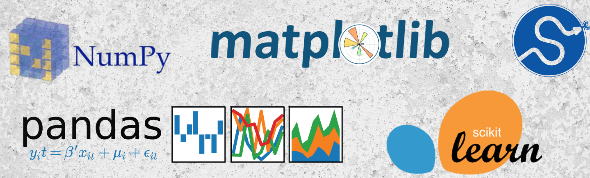
Important python libraries for data science
- Numpy
- For scientific computing with Python
- Pandas
- Provides various high level convenient data structures, functions, and classes
- Matplotlib
- For data visualization
- Scikit learn
- Machine learning library for the Python programming language.
Image('python-lib.png',width=400,height = 200)
Expressions in Python
- In python, 2 + 3 is an example of basic expression
- Expression has values & operators
- Expressions always reduce down to a single value
- The operators and values are put together as per python rules
- The values in an expression can have various data types
Math Operators from Highest to Lowest Precedence
| Operator | Operation | Example | Evaluates to… |
|---|---|---|---|
| ** | Exponent | 2**3 | 8 |
| % | Modulus/remainder | 23%6 | 5 |
| // | Integer division | 23//6 | 3 |
| / | Division | 23/6 | 3.83 |
| * | Multiplication | 2*6 | 12 |
| - | Subtraction | 6-2 | 4 |
| + | Addition | 6+2 | 8 |
Common Data Types
| Data type | Examples |
|---|---|
| Integers | -1, -2, 0 , 1, 3 , 5 |
| Floating-point numbers | -1.34, -1.0, 0.0, 3.45 |
| Strings | Hello’, ‘PYTHON’, ‘LeArN’ |
| Bool | True , False |
Data Structures and Sequences
- List
- Dictionary
- Tuple
- Numpy Array
List
- Contains multiple values in an ordered sequence.
- Can be stored in a variable or passed to a function.
- Values inside lists are called items.
- Items in a list are separated by comma and can have different data types.
- e.g. list1 =
[ 'abc', 1, 1.50, True ] - Items of a list can be accessed using index starting from 0.
- Basic operations on list are as follows
Accessing elements of list
list1 = [ 'abc', 1, 1.50, True ]

print('Length of list is ' + str(len(list1)))
print('First item of list is ' + str(list1[0]))
print('Last item of list is ' + str(list1[-1]))
print('First 2 items of list are ' + str(list1[0:2]))
print('Last 2 items of list are ' + str(list1[-2:]))
Length of list is 4
First item of list is abc
Last item of list is True
First 2 items of list are [‘abc’, 1]
Last 2 items of list are [1.5, True]
Updating list
list1[0] = 'xyz'
print('New list is ' + str(list1))
list1[-1] = 'False'
print('New list is ' + str(list1))
New list is [‘xyz’, 1, 1.5, True]
New list is [‘xyz’, 1, 1.5, ‘False’]
List Concatenation and List Replication
list2 = ['A', 'B', 'C']
list3 = list1 + list2
print('Concatenated list is ' + str(list3))
print('Replicating list2 twice ' + str(list2*2))
Concatenated list is [‘xyz’, 1, 1.5, ‘False’, ‘A’, ‘B’, ‘C’]
Replicating list2 twice [‘A’, ‘B’, ‘C’, ‘A’, ‘B’, ‘C’]
list1
list2
[‘xyz’, 1, 1.5, ‘False’]
[‘A’, ‘B’, ‘C’]
# appending value to list
list4 = [1,3,'v',True]
list4.append('X')
print('Appended List is ' + str(list4))
Replicating list2 twice [1, 3, ‘v’, True, ‘X’]
# Extending list
list4 = [1,3,'v',True]
list5 = [2,'s',False]
list4.append(list5)
print('Extended List is ' + str(list4))
Extended List is [1, 3, ‘v’, True, [2, ‘s’, False]]
# Inserting value in a list
list4 = [1,3,'v',True]
list4.insert(2,'C')
print('Updated list after inserting "C" at 2nd index ' + str(list4))
Updated list after inserting “C” at 2nd index [1, 3, [‘C’, 3], ‘v’, True]
# Removing value in a list
list4 = [1,3,'v',True]
list4.remove('v')
print('Updated list after removing "v" is ' + str(list4))
Updated list after removing “v” is [1, 3, True]
# Popping value in a list
list4 = [1,3,'v',True]
list4.pop(1)
print('Updated list after removing item at 1st index ' + str(list4))
3
Updated list after removing item at 1st index [1, ‘v’, True]
# Index, count, reverse functions
list6 = ['A', 'B', 'C', 'A', 'A']
print('Index of element "B" is ' + str(list6.index('B')))
print('Count of element "A" is ' + str(list6.count('A')))
print('Reversed list is ' + str(list6.reverse()))
Index of element “B” is 1
Count of element “A” is 3
Reversed list is None
Dictionary
dict = {'key1' : 'value1', 'key2' : 'value2' }- The items are separated by commas, and the whole thing is enclosed in curly braces
- Keys are unique within a dictionary while values may not be.
- The values of a dictionary can be of any type
- the keys must be of an immutable data type such as strings, numbers, or tuples
- example of dict -
dict = {'Name': 'Bank', 'Age': 20, 'Class': 'First'}
dict1 = {'Name': 'Bank', 'Age': 20, 'Class': 'First'}
dict1.items()
dict1.keys()
dict1.values()
‘Bank’
dict_items([(‘Name’, ‘Bank’), (‘Age’, 20), (‘Class’, ‘First’)])
dict_keys([‘Name’, ‘Age’, ‘Class’])
dict_values([‘Bank’, 20, ‘First’])
# accessing values of dictionary
dict1['Name']
dict1.get('Age')
‘Bank’
20
# dictionary within dictionary
dict2={"child1": {"name":"x","age":5},"child2": {"name":"y","age":15}}
dict2['child1']['name']
dict2['child2']['age']
‘x’
15
# inversing a dict using dict comprehension
inv_dict1 = {val: key for key, val in dict1.items()}
inv_dict1
{‘Bank’: ‘Name’, 20: ‘Age’, ‘First’: ‘Class’}
Tuple
- A tuple is a sequence of immutable Python objects
- Tuples are sequences, just like lists
- The tuples cannot be changed unlike lists
- Tuples use parentheses, whereas lists use square brackets
- Tuples items can be accessed in the same way as lists
- The operations on tuples are same as of list.
- examples of tuple -
tuple = (12, 34.56, 'X')
Loops in Python
IF ELSE Loop
today = input()  #'monday'
if today=='saturday':
    print('Today is saturday')
elif today == 'monday':
    print('Today is monday')
else:
    print('Today is neither monday nor saturday')
sunday
Today is neither monday nor saturday
For loop
for color in ['blue', 'orange', 'red', 'black']:
    print(color)
blue
orange
red
black
lst = [1,2,3,4,5]
lst_sqr = []
for i in range(len(lst)):
    lst_sqr.append(lst[i]*lst[i])
lst_sqr
[1, 4, 9, 16, 25]
using list comprehension
[i*i for i in lst]
[1, 4, 9, 16, 25]